
Step-by-step How to Download Your Statements and Earnings Reports from Horus
Step-by-step

To access your Horus reports:
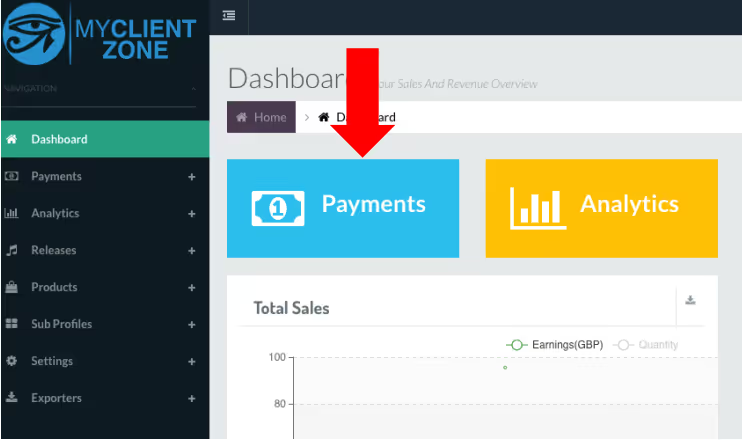
1. Log into the Horus MyClientZone platform and select the “Payments” tab
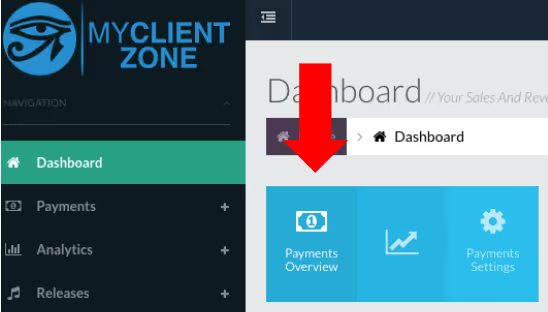
2. Choose Payments Overview
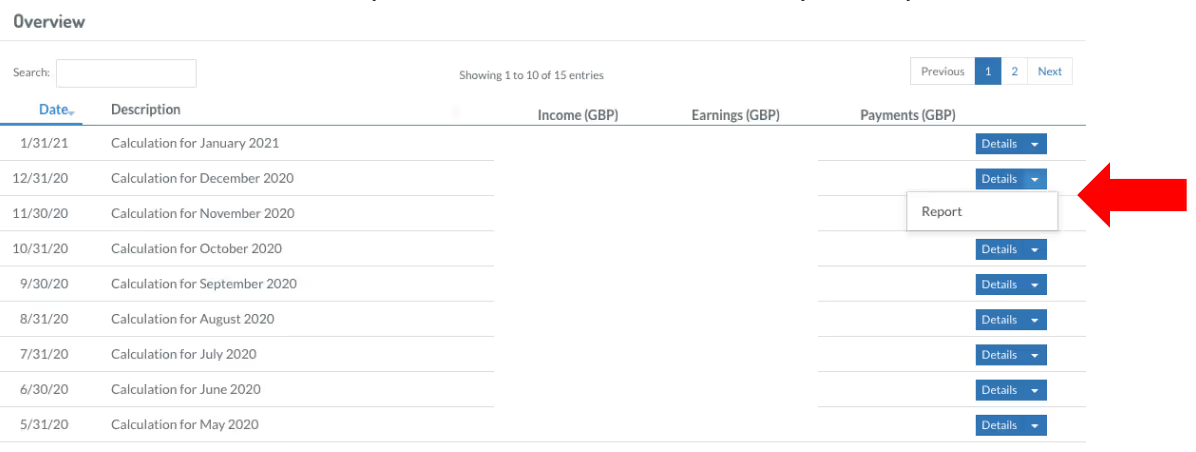
3. You will see a list of past statement periods. For the most recent 12-36 months select
“report” from the “Details” dropdown menu and download your report for each month.
4. Send files to your Xposure contact via email.
HAVING TROUBLE?
We're here to help!
funding@xposuremusic.com
Other Instructions You Might Find Helpful
