
Step-by-step How to Download Your Statements and Earnings Reports from Songtrust
Step-by-step

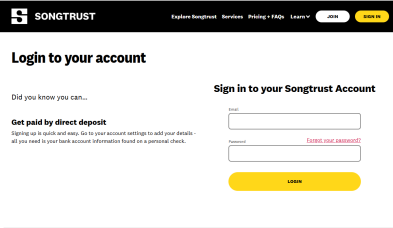
Step 1: Log In to Your Songtrust Account
Go to https://app.songtrust.com/login and enter your email and password.
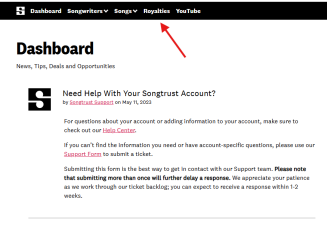
Step 2: Access Your Dashboard
After logging in, you’ll land on your dashboard. Look for the "Royalties" tab in the top navigation bar.
Step 3: Navigate to the Statements Section
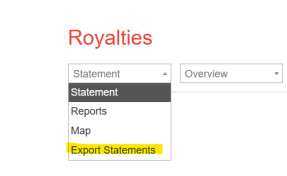
Click on “Royalties”, then choose “Export Statements” from the dropdown or side menu.
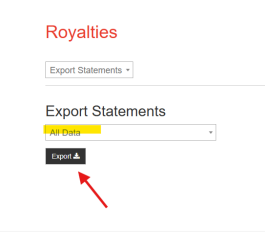
Step 4: Select Export
Make sure “All Data” is selected in the dropdown, then press export.
Step 5: Email Reports
Send the reports via email to your contact at Xposure.
HAVING TROUBLE?
We're here to help!
funding@xposuremusic.com
Other Instructions You Might Find Helpful
